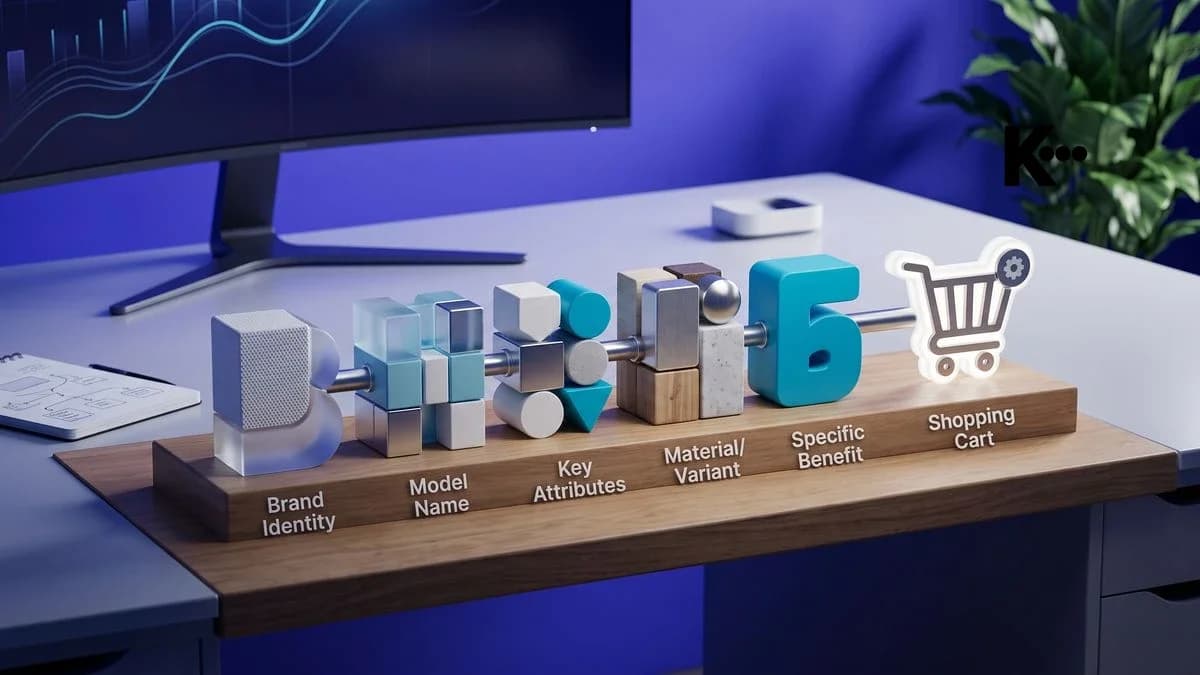
WooCommerce Product Titles: The 5-Element Formula
Discover the 5-element formula for writing WooCommerce product titles that Google and AI search engines instantly understand, with real examples by category.
WooCommerce Product Titles: The 5-Element Formula Google and AI Engines Instantly Understand
An effective WooCommerce product title isn't a random string of words: it's a structured signal that tells Google, AI assistants, and shoppers exactly what you're selling, who it's for, and why it matters. The optimal formula combines five elements in a precise order: product type, primary attribute, brand or material, specific variant, and use case. Applying it consistently across your entire catalog makes the product easier for Google and for AI Overviews to understand.
The product title is one of the most important fields in WooCommerce: it's read as the page H1, often as the title tag in the SERP, and is one of the texts AI search engines find first on the page.
Why the Product Title Is One of the First Texts Google and AI Engines Read
The product title carries the highest semantic density on a WooCommerce page: Google uses it to determine how relevant the page is to a query, and a clear title also makes it easier for AI engines to understand the product.
When a shopper searches "brown leather crossbody bag women" on Google, the engine compares that string with indexed product titles. If your title reads "Bag mod. B-204 new season," the semantic match is virtually zero. If it reads "Women's Brown Leather Crossbody Bag, 28x18 cm, Magnetic Closure," every token in the query finds a direct match. This mechanism, already critical for organic ranking, has become even more decisive with AI Overviews: a clear title also makes it easier for Google's generative models to understand what product it is.
The problem is that many WooCommerce catalogs are built with warehouse logic, not search logic. Titles reflect internal SKUs, fancy names, or descriptions written for the seller, not for the shopper typing into Google. The result is a catalog that's technically present but hard to find.
An illustrative example: handcrafted ceramicsA workshop making hand-painted ceramics runs a WooCommerce store. The titles followed the studio's internal naming: "Plate D-14 blue folk pattern," "Pitcher Renaissance series." After applying the 5-element formula, "Plate D-14" became "Hand-Painted Ceramic Serving Plate, Blue Folk Pattern, 28 cm, Artisan-Made."
An illustrative example: activewear on WooCommerce and AmazonAn activewear store sells on WooCommerce and in parallel on Amazon, with long titles designed for Amazon. Applying the 5-element formula makes it possible to have a clean WooCommerce title plus an additional field for Amazon, without duplicating manual work on every listing.
The 5 Elements of the Formula: Structure, Order, and Logic
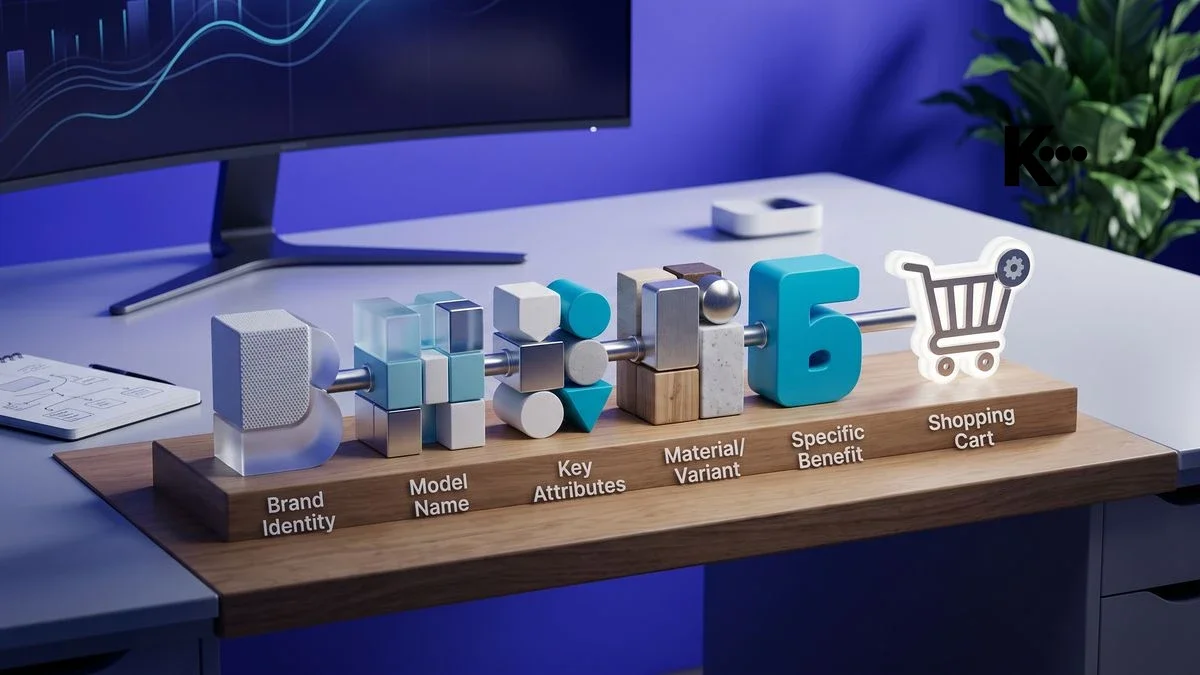
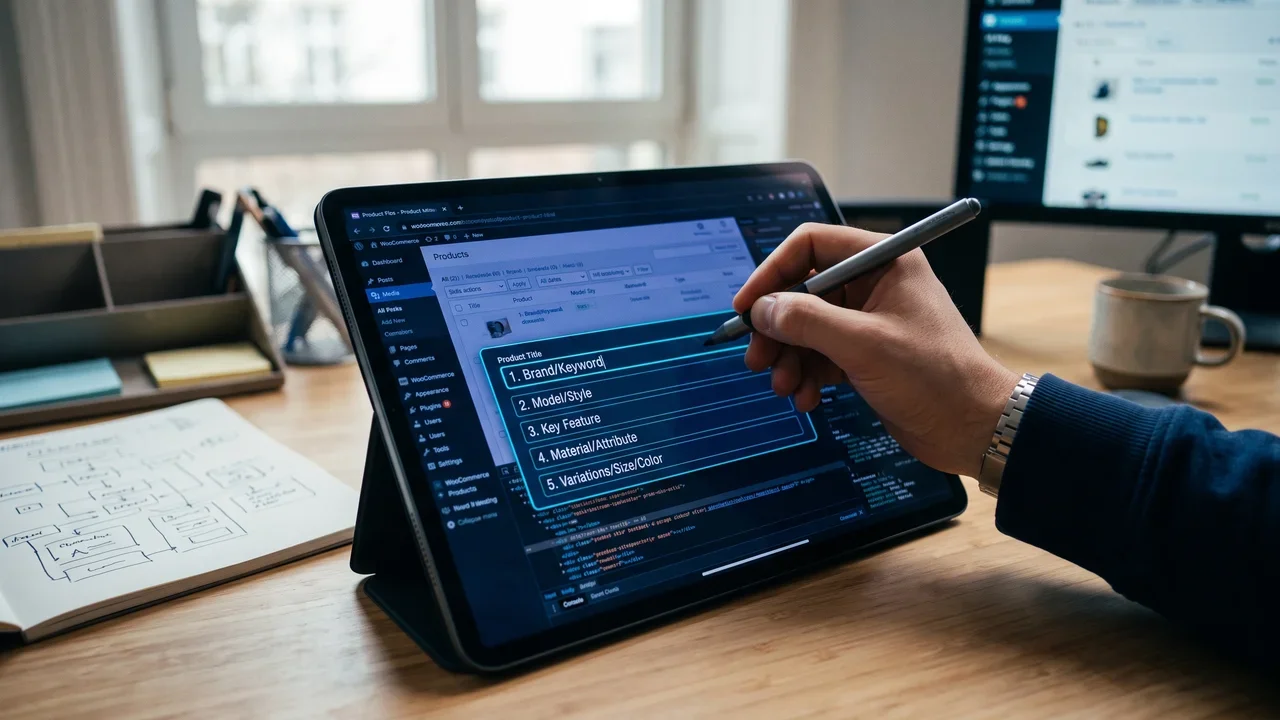
The optimal formula for a WooCommerce product title breaks down into five elements in sequence: product type, primary attribute, brand or material, specific variant, and use case or target user. The order isn't arbitrary: it puts what the user is looking for first.
Each element plays a precise role in the signal the title sends to search engines. The product type ("backpack," "lamp," "essential oil") is the most important information for the person searching: it is best to make it the first word. The primary attribute ("waterproof," "LED," "organic") qualifies the type and captures modifier queries. The brand or material ("The North Face," "merino wool," "blown glass") adds authority or technical specificity. The variant ("black size M," "3000K," "30 ml") answers the most precise transactional queries. The use case or target user ("for hiking," "for desk," "for newborns") captures informational queries and use-case questions, including in AI Overviews.
- Element 1 (Product type): always at the opening, never abbreviated or replaced with a fancy name.
- Element 2 (Primary attribute): the most-searched modifier for that category, verifiable with Google Search Console or related "People also ask" boxes.
- Element 3 (Brand or material): if it's a well-known brand, put it here to capture navigational queries; if it's handcrafted, use the material as the differentiator.
- Element 4 (Specific variant): color, size, capacity, color temperature, the data shoppers use to filter.
- Element 5 (Use case or target user): the element that helps match the product to a conversational question.
For a WooCommerce title, 60 to 80 characters will generally do: enough to fit all five elements while limiting the risk of truncation in Google's SERP, which cuts long titles based on screen width, and without hurting readability for the shopper.
Common WooCommerce Title Mistakes and How to Spot Them in Your Catalog
The four most common mistakes in WooCommerce product titles are: using internal SKUs as the title, reversing the element order, repeating the same keyword multiple times, and dropping the product type in favor of a fancy name.
The first mistake, using internal SKUs, is the most widespread among merchants importing the catalog from an ERP. Titles like "SKU-4821-BLUE" or "Item 33/B" contain zero useful semantic tokens for Google. The engine has to work out what you're selling from the rest of the page, and the product struggles to show up for relevant queries.
The second mistake is reversed order: leading with the brand when it isn't a brand with strong navigational intent. "Nike Waterproof Backpack Black One Size" works because Nike is searched directly. "Artisan Workshop Ceramic Plate" doesn't work because nobody types "Artisan Workshop" first: the actual query is "handmade ceramic plate."
The third mistake is keyword stuffing: "Backpack backpack men backpack waterproof backpack hiking" doesn't improve rankings, it actually falls among the spam practices that Google flags and makes the title less readable for AI models too. The fourth mistake, omitting the product type, is typical of fashion or design catalogs where the fancy name replaces the category: "Spring 2026" isn't a product title, it's a season.
- Open your WooCommerce catalog and sort products by title.
- Look for titles starting with a code, a number, or a fancy name.
- Identify titles shorter than 40 characters: they almost always lack variant and context.
- Find titles with the same word repeated more than twice.
- Check how many titles don't have the product type as the first word.
A store sells refurbished smartphones and tablets on WooCommerce and Vinted. The titles were built for Vinted (short, with emojis) and had no structure on WooCommerce. After the rewrite, "📱 iPhone 12 great condition" became "Refurbished Apple iPhone 12 Smartphone, 64 GB, Black, Grade A." The title now captures shoppers specifically looking for a refurbished smartphone with precise specs, a high-purchase-intent segment.
Adapting the Formula to Different Channels: Google, Amazon, Etsy, AI Overviews
The 5-element formula is the shared foundation, but each channel has different display rules and algorithms that call for small tweaks in element order and title length.
On Google and in AI Overviews, the WooCommerce title is read as both the H1 and the title tag: the priority is human readability and semantic match with informational and transactional queries. A title that sounds like a natural answer to a question is easier to match to a conversational query: "LED Desk Lamp 3000K, Dimmable, for Study" implicitly answers the question "which desk lamp should I get for studying?"
On Amazon the title can be up to 200 characters long, according to the category's rules. Here you can add synonyms and variations after the five base elements. On Etsy, the title weighs less than tags, but it must explicitly include material and use case because Etsy's internal search reasons heavily by attribute. On Vinted, brevity is rewarded: the 5 elements shrink to 3 (type, brand, variant) because the platform is optimized for brand and size searches.
- Google and AI Overviews: 60-80 characters, all 5 elements, natural and readable tone.
- Amazon: 80-150 characters, elements 1-5 plus extra synonyms and variations.
- Etsy: 60-80 characters, emphasis on material and use case, narrative style.
- Vinted: 40-60 characters, type + brand + variant, no use case.
- eBay: similar to Amazon, with attention to product condition (new, used, refurbished) as an additional element.
Putting the Formula Into Practice: Real Examples by Product Category
The 5-element formula produces different results depending on the product category: seeing concrete examples for your own category is the fastest way to learn how to apply it without getting the element order wrong.
The logic behind the examples below is always the same: you start from the original title (often built with warehouse or fancy-name logic) and arrive at an optimized title by applying the five elements in the correct order. In each case, the optimized title is longer but not redundant: every added word carries a precise semantic signal.
Category: apparel and accessoriesOriginal title: "Winter Jacket mod. W-22 blue." Optimized title: "Women's Boiled Wool Winter Jacket, Blue, Size M, with Hood." Element 3 (material: boiled wool) sets the product apart from generic competitors. Element 5 (women's, with hood) captures shoppers searching for a jacket with specific features.
Category: home decor and lightingOriginal title: "Sunshine Lamp." Optimized title: "Brushed Brass Table Lamp, Warm Light 2700K, for Living Room, Vintage Style." The fancy name "Sunshine" has been removed because nobody searches for it. The product type, material, color temperature, and use case are now all present and in the correct order.
Category: food and specialty productsOriginal title: "Organic EVOO 500ml." Optimized title: "Organic Extra Virgin Olive Oil, 500 ml, Frantoio Cultivar, Cold First Press, Italian." Element 3 (Frantoio cultivar) and element 5 (cold first press) turn a generic product into one with a specific identity, sought by buyers who know the category and have high purchase intent.
Quick Checklist: Audit Your Titles in 2 Minutes
A six-point checklist lets you evaluate in under two minutes whether a WooCommerce product title follows the formula and has the traits that make visibility on Google and in AI Overviews more likely.
The audit doesn't require any external tools: just read the title out loud and answer six questions. If the answer is "no" to even one question, the title needs to be revised before publishing or updating the product page. Applied systematically across the entire catalog, this exercise identifies in minutes the products with the greatest improvement potential.
- Does the title start with the product type? If it starts with a code, a fancy name, or the brand (unless it's a brand with strong navigational intent), it needs fixing.
- Does it contain at least one qualifying attribute? Material, color, function, or technical feature must be present.
- Is it between 60 and 80 characters? Below 40, elements are missing; above 80, you risk SERP truncation.
- Does it include the specific variant? Size, color, capacity, or format must be explicit in the title, not just in the WooCommerce attributes.
- Does it contain a use case or target user? At least one of the two helps capture conversational queries and AI Overviews.
- Is the same word avoided more than once? Repetition doesn't help ranking and hurts readability.
If you apply this checklist to the entire catalog and many titles fail several criteria, you're probably leaving organic traffic on the table. The good news: rewriting a product title is a quick job, it's one of the highest effort-to-impact optimizations in all of e-commerce SEO.
Frequently Asked Questions About WooCommerce Product Titles
How many characters should a WooCommerce product title have to be optimized for Google?Generally, 60 to 80 characters are enough to fit all the elements. Google truncates long titles in the SERP based on screen width. A title shorter than 40 characters almost certainly lacks important semantic elements; one longer than 100 characters risks being cut off exactly where the most relevant information for the shopper appears.
Should the fancy product name be included in the WooCommerce title?Only if the fancy name already has measurable search volume, meaning shoppers actively search for it on Google. In every other case, move the fancy name to the subtitle or short description, and start the title with the product type. A name like "Spring Bag" generates no traffic; "Beige Leather Handbag, Spring 2026" does.
How do I know which attribute to use as element 2 of the title?The primary attribute is the one shoppers most often use as a modifier in search queries for that category. You can find it in Google's "People also ask" boxes for the product type, in the search bar's autocomplete suggestions, or in Google Search Console by looking at the queries already driving traffic to your category pages. If you don't have data, default to the material or main function: those are often the most-searched modifiers.
Does the 5-element formula also work for WooCommerce variable products?Yes, with one adjustment: for variable products, the main product page title should contain elements 1, 2, and 3 (type, attribute, brand or material) and indicate that variants exist ("available in 5 colors"). Elements 4 and 5 (specific variant and use case) can be expressed in the attributes of the individual variations: in WooCommerce, variations do not have a page of their own.
Do WooCommerce-optimized titles also work for Google's AI Overviews?Yes, provided the title is paired with an opening paragraph on the product page that directly answers the question implicit in the query. Title, first paragraph, and structured data work together to help AI engines understand the product. An optimized title without a coherent description lowers the chances of being cited in a generative answer.
Frequently asked questions
- How many characters should a WooCommerce product title have to be optimized for Google?
- Generally, 60 to 80 characters are enough to fit all the elements. Google truncates long titles in the SERP based on screen width. A title shorter than 40 characters almost certainly lacks important semantic elements; one longer than 100 characters risks being cut off exactly where the most relevant information for the shopper appears.
- Should the fancy product name be included in the WooCommerce title?
- Only if the fancy name already has measurable search volume, meaning shoppers actively search for it on Google. In every other case, move the fancy name to the subtitle or short description, and start the title with the product type. A name like "Spring Bag" generates no traffic; "Beige Leather Handbag, Spring 2026" does.
- How do I know which attribute to use as element 2 of the title?
- The primary attribute is the one shoppers most often use as a modifier in search queries for that category. You can find it in Google's "People also ask" boxes for the product type, in the search bar's autocomplete suggestions, or in Google Search Console by looking at the queries already driving traffic to your category pages. If you don't have data, default to the material or main function.
- Does the 5-element formula also work for WooCommerce variable products?
- Yes, with one adjustment: for variable products, the main product page title should contain elements 1, 2, and 3 (type, attribute, brand or material) and indicate that variants exist. Elements 4 and 5 can be expressed in the attributes of the individual variations: in WooCommerce, variations do not have a page of their own.
- Do WooCommerce-optimized titles also work for Google's AI Overviews?
- Yes, provided the title is paired with an opening paragraph on the product page that directly answers the question implicit in the query. Title, first paragraph, and structured data work together to help AI engines understand the product. An optimized title without a coherent description lowers the chances of being cited in a generative answer.