AI Image Editing for E-commerce: the Complete 2026 Guide
Complete guide to AI image editing for e-commerce: background removal, color correction, virtual settings, and conversion optimization in 2026.
AI Image Editing for E-commerce: the Definitive Guide
Image quality is the number one factor in online purchasing decisions. According to a Shopify study, 75% of consumers base their purchase decision primarily on product photos. Yet, most e-commerce stores feature mediocre images: inconsistent backgrounds, uneven lighting, uncalibrated colors, insufficient resolution.
AI image editing in 2026 has reached a level that democratizes access to professional product photography. You no longer need a 50,000-euro photo studio or a monthly subscription to an editing service — a single AI tool can transform a smartphone photo into a premium catalog image.
Background Removal: the Foundation of E-commerce Editing
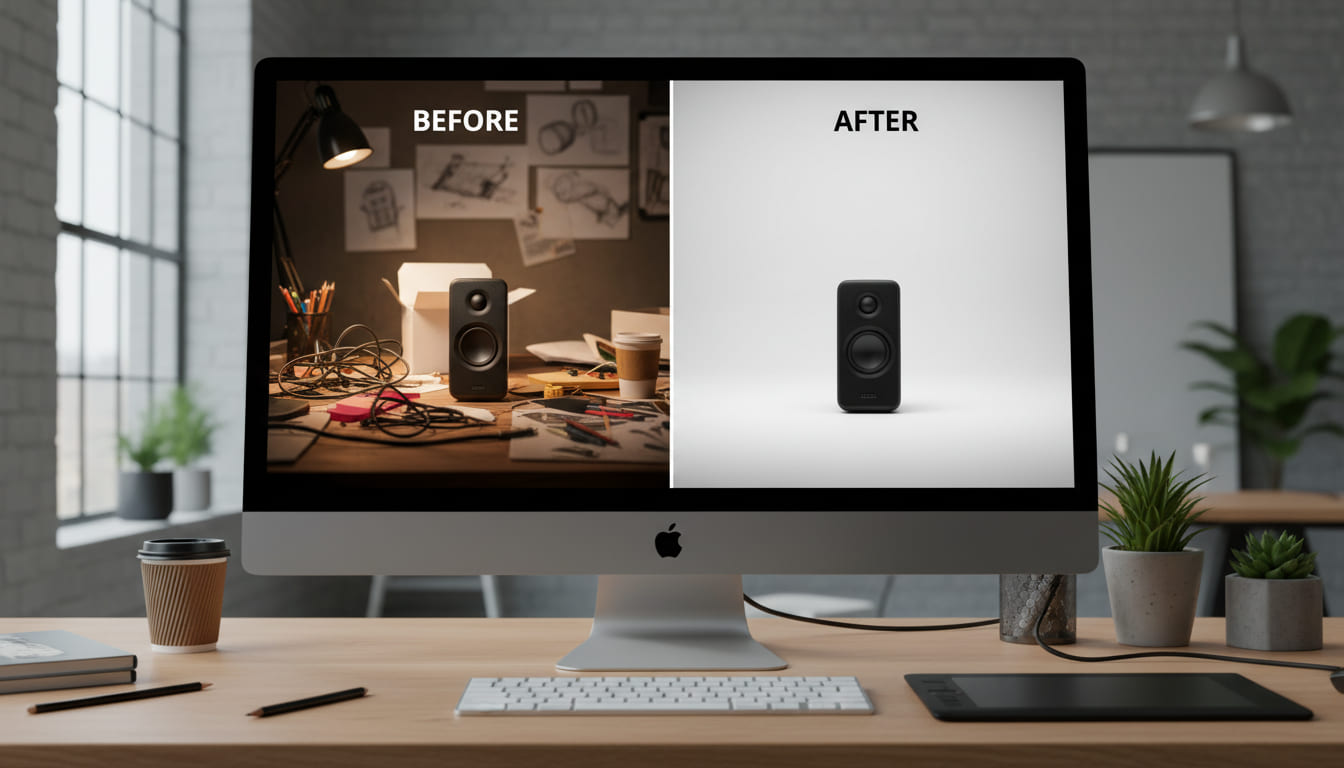
Background removal is the most requested operation in e-commerce. Marketplaces like Amazon and eBay require a pure white background, PDF catalogs need visual consistency, and social media requires flexibility to adapt the product to different templates.
In 2026, AI removes backgrounds with 99% accuracy even on complex details: hair, fur, transparent fabrics, shadows. What a human editor used to do in 10-15 minutes, AI does in less than one second. With tools like Katapic's AI Scanner, background removal is integrated into the cataloging workflow: you upload the photo, the background is removed automatically, and you can choose to keep it white or generate an AI lifestyle setting.
Color Correction and Visual Consistency
A catalog with inconsistent colors — some photos warm, others cool, some overexposed, others dark — conveys carelessness. AI automatically normalizes white balance, exposure, contrast, and saturation, creating a consistent look across the entire catalog. This is particularly critical in fashion, where color accuracy shapes customer expectations and therefore return rates.
E-commerce stores with professional and consistent product images see a 22% lower return rate compared to those with amateur photos, because the customer receives a product that matches the visual expectations created online.
Virtual Settings and AI Lifestyle Photography
The next step after background removal is generating lifestyle settings. A pair of sunglasses on a white background is informative; the same pair on a golden beach at sunset is aspirational. Katapic's AI Studio, powered by NanoBanana Pro, generates photorealistic settings at resolutions up to 4K, with consistent lighting and natural shadows.
The advantages are multiple: A/B testing different settings to see which converts better, seasonal content without new photo shoots (the same product in a summer or winter context), and visual variety for social media at no additional cost.

Technical Optimization for Web Performance
Beautiful but heavy images slow down the site and penalize SEO. AI automatically optimizes: smart compression that reduces file size without visible quality loss, conversion to modern formats (WebP, AVIF), generation of responsive variants for different devices. A 5 MB photo becomes an optimized 200 KB image that loads in less than a second.
The Complete Workflow: from Raw Photo to Website
- Take the photo (smartphone or camera, natural light preferred)
- Upload to AI — automatic background removal
- Choose: white background, custom color, or AI lifestyle setting
- AI optimizes color, exposure, and resolution
- Export in web-optimized format (WebP) and print format (TIFF/PNG)
The cost of manual editing for 100 products (background removal + color correction) is 500-1,000 euros. With AI, the same work costs a fraction and produces comparable results. For e-commerce stores that update their catalog frequently, the annual savings run into thousands of euros. Image quality goes up, costs go down, conversions improve — it is the rare case where there are no trade-offs.
Frequently asked questions
- How accurate is AI background removal for e-commerce product photos?
- In 2026, AI background removal achieves 99% accuracy even on complex details such as hair, fur, transparent fabrics, and shadows. It completes the task in less than one second, compared to the 10–15 minutes a human editor would require.
- How does AI image editing reduce e-commerce return rates?
- E-commerce stores with professional and consistent product images see a 22% lower return rate compared to those with amateur photos. This is because accurate color correction and visual consistency ensure customers receive a product that matches the expectations set by the online images.
- What is AI lifestyle photography and how does it benefit e-commerce sellers?
- AI lifestyle photography generates photorealistic settings around a product image—such as placing sunglasses on a beach at sunset—without requiring a new photo shoot. It enables A/B testing of different settings, seasonal content creation, and visual variety for social media at no additional cost.
- How does AI handle technical image optimization for web performance?
- AI automatically applies smart compression, converts images to modern formats like WebP and AVIF, and generates responsive variants for different devices. This can reduce a 5 MB photo to an optimized 200 KB image that loads in less than a second, benefiting both site speed and SEO.
- What is the cost difference between manual and AI-based product image editing?
- Manual editing for 100 products—covering background removal and color correction—costs between 500 and 1,000 euros. AI performs the same work at a fraction of that cost, resulting in annual savings of thousands of euros for stores that update their catalog frequently.