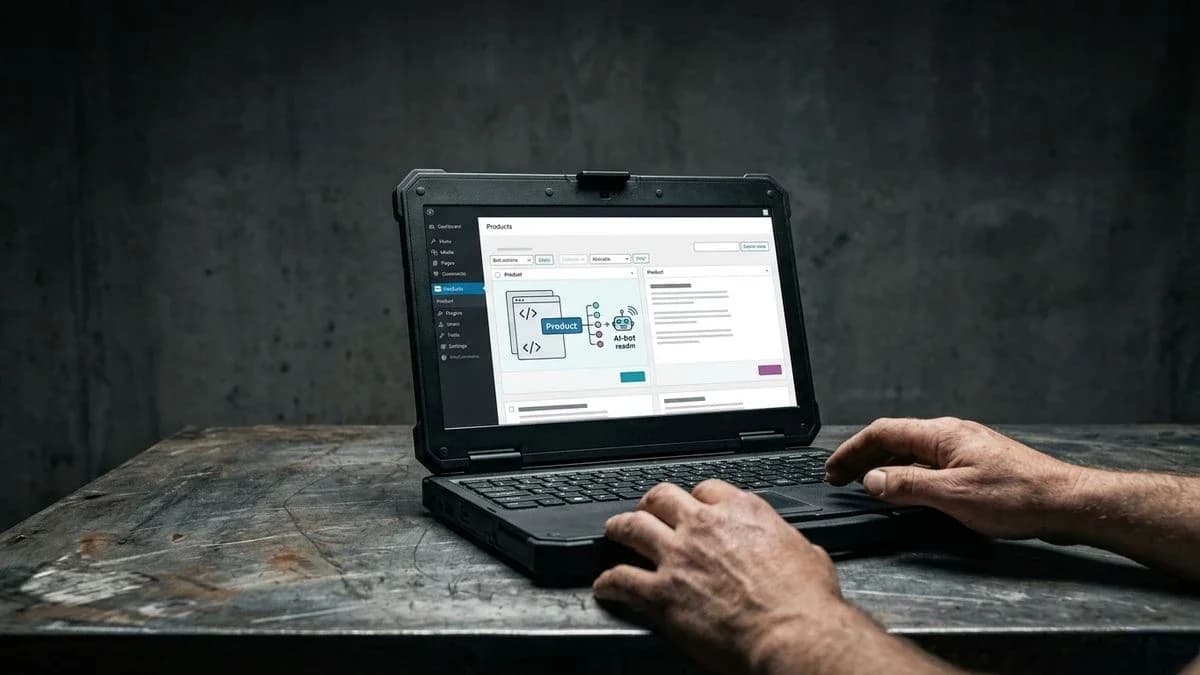
Why Your WooCommerce Products Don't Appear in AI Answers
Find out why ChatGPT, Perplexity and AI Overviews rarely cite your WooCommerce catalog, and what you can do to give AI engines clear facts about every product.
WooCommerce products don't appear in AI answers: here's why
A WooCommerce product is less likely to appear in AI answers when the engine generating the response, ChatGPT, Perplexity or AI Overviews, can hardly find clear facts about that product: name, price, availability and specific attributes. Engines read the page text, the structured data and, for ChatGPT shopping, the product feeds of approved merchants. If those facts are missing, vague or buried, the product is less likely to be cited, even if the site is fast and ranks well on Google.
AI search engines do not work like traditional Google: they do not return ten blue links but generate a concise answer citing only a few sources. To do this, they read the page text, the Product markup and, where one exists, a product feed. If the description is a conversational paragraph without separate attributes, material, size, colour or compatibility, the engine may struggle to extract the information with confidence and may more easily cite a competitor with more explicit data. The problem is not that the text is prose; it is prose that leaves out the facts. A description that states material, size and compatibility in plain words helps both a human reader and a machine.

How AI search engines really work
ChatGPT, Perplexity and AI Overviews build answers from what they can find about a product: the page text, plus structured data and product feeds where they exist.
When a user asks ChatGPT or Perplexity to recommend a product, the system draws on several signals, including page text, schema.org/Product markup, product feeds (such as the one OpenAI provides for shopping, open to approved merchants) and consistent brand mentions on other pages. Without these elements, the engine has less material on which to base a reliable citation. For AI Overviews and AI Mode, Google says there are no additional requirements beyond normal SEO best practices and no special markup or AI text files to add: important content should be available in textual form, and structured data should match the visible page.
What changes compared with traditional SEOTraditional SEO rewards rich content, backlinks and speed. AEO (answer engine optimisation) builds on it: Google says optimising for its AI features is still SEO. What product pages need on top is precision, with the same fact stated clearly in the text and in the attributes.
The most common reasons a WooCommerce product rarely appears
Among the most frequent causes are incomplete product attributes, missing or malformed schema markup, and no dedicated feed for AI engines.
Recurring patterns show up in many WooCommerce catalogs. It is not one major error, but a series of small gaps that add up.
- Descriptions copied from the supplier's text, without separate attributes for size, material or compatibility.
- SEO plugins configured only for traditional Google, without complete Product markup covering price, availability and brand.
- No up-to-date product feed for ChatGPT or other conversational engines.
- Images without descriptive alt text, which leaves engines less to go on.
- WooCommerce categories and taxonomies used inconsistently across similar products.
What hurts a catalog is missing or contradictory facts: WooCommerce already outputs basic Product markup, and engines also read the text.An illustrative example: the small artisan business
An artisan selling handmade ceramics and managing around forty products often writes thoughtful but conversational descriptions such as “hand-decorated vase inspired by local tradition”. Beautiful for a human customer, but ambiguous to an AI looking for a precise “material” or “dimensions” field.
An illustrative example: the multichannel retailerBusinesses that also sell on Amazon, Etsy and Vinted often copy and paste the same product page across every channel without adapting the attributes to each channel. The result is inconsistent data that is harder to interpret.
Structured data and product feeds: how they help
Explicit fields such as name, price, availability, brand, category and specific attributes make facts easy to confirm, and they work best when the text says the same thing.
schema.org/Product markup helps an engine confirm price and availability, and Google asks that it match the visible text of the page. For ChatGPT shopping there is an additional path: a product feed in OpenAI's format, open to approved merchants, with fields such as title, description, price and availability.

To understand how to build such a feed without errors, read the guide to submitting a WooCommerce product feed to ChatGPT without errors, or follow the checklist to use before submitting it.
How to measure your products' AEO readiness
A product's AEO readiness can be assessed by checking whether its text states the key facts and whether its attributes, markup and feed agree with it, rather than by a quick look at the page.
Many merchants think their site “looks fine” because it is fast and visually polished, but speed and AI readability are two different things. A site can load in under two seconds and still have no useful Product markup.
- Verify that every product has complete Product schema, including name, price, availability and brand.
- Check that WooCommerce attributes are populated consistently across the entire catalog.
- Generate or update a product feed dedicated to AI engines.
- Test citability by directly asking an AI engine to recommend a product in your category.
For a deeper look at this topic, this guide to five ways of measuring AEO readiness covers the practical details, while this article explains the citation mechanism used by conversational engines.
Practical steps to make your catalog readable to AI
There are three practical steps that may help: completing the Product markup, separating attributes into distinct fields, and generating an up-to-date feed for AI engines.
You do not need a dedicated SEO team to get started, but you do need to prioritise. Begin with the products that have the highest margins or sales volume, fix their markup and attributes, and then extend the work to the rest of the catalog.
An attribute in a dedicated field and a clear sentence in the description work together: one makes the fact easy to extract, the other gives it context.A hypothetical multichannel retailer
A retailer managing three hundred products across WooCommerce, Amazon and Etsy, and losing hours every week copying descriptions between channels, would gain more by first standardising the core attributes, material, size and colour, across the entire catalog than by rewriting every description from scratch.
How Katapic helps make your catalog readable to AI
Katapic was created to eliminate the manual work involved in digital catalog management, even for people who lack the time or SEO expertise to dedicate to their catalog. Each product receives four scores out of 100 (SEO, AI search, brand relevance and completeness), intended to help you decide where to act first instead of reviewing the entire catalog at random. Automation works with the product's real data: it does not invent specifications or replace the merchant's judgement; it only corrects and completes what is already true. Anyone who wants to begin with an objective snapshot of their current situation can use Katapic to understand where their catalog stands today.
Free check for WooCommerce usersIf you want an initial targeted review, the free AEO checker for WooCommerce products available at katapic.com/woocommerce-aeo-checker provides an immediate overview without requiring registration or website changes.
Further useful readingIf the issue also involves perceived site speed without any improvement in visibility, it is worth reading this article about catalogs that remain invisible despite a fast site, or the list of the seven most common product page mistakes.
Frequently asked questions
Why does ChatGPT never recommend my WooCommerce products?There can be several reasons: descriptions that leave out key facts, missing or inconsistent attributes, prices and availability that are hard to confirm, or few mentions of your products on other sites. ChatGPT reads page text as well as structured data and, for shopping, also accepts product feeds from approved merchants. No tool can guarantee a recommendation.
Is having a fast website enough to appear in AI answers?No. Website speed is a Core Web Vitals factor that supports traditional SEO, but it does not determine how readable a product is to an AI engine. A fast website whose product pages leave out key facts may still be less likely to appear in answers generated by ChatGPT, Perplexity or AI Overviews.
What is the difference between traditional SEO and AEO for WooCommerce?Google says that optimising for its AI features is still SEO. AEO puts extra weight on precision at the individual product level: clear facts in the text, separate attributes, markup that matches the page and, where available, an up-to-date feed. They are complementary, not alternatives.
Do I need a technical team to make my catalog readable to AI?Not necessarily. Many tasks, filling in attributes, adding basic markup and generating a feed, are repeatable operations that dedicated tools can automate without advanced expertise, allowing a merchant to work on the catalog independently.
How often should product feeds for AI engines be updated?For the ChatGPT feed, OpenAI recommends a full snapshot at least once a day; in addition, it is good practice to update the feed whenever a product's price, availability or relevant attributes change, and to check it regularly so it does not become inconsistent with the actual WooCommerce catalog.
Frequently asked questions
- Why does ChatGPT never recommend my WooCommerce products?
- There can be several reasons: descriptions that leave out key facts, missing or inconsistent attributes, prices and availability that are hard to confirm, or few mentions of your products on other sites. ChatGPT reads page text as well as structured data and, for shopping, also accepts product feeds from approved merchants. No tool can guarantee a recommendation.
- Is having a fast website enough to appear in AI answers?
- No. Website speed is a Core Web Vitals factor that supports traditional SEO, but it does not determine how readable a product is to an AI engine. A fast website whose product pages leave out key facts may still be less likely to appear in answers generated by ChatGPT, Perplexity or AI Overviews.
- What is the difference between traditional SEO and AEO for WooCommerce?
- Google says that optimising for its AI features is still SEO. AEO puts extra weight on precision at the individual product level: clear facts in the text, separate attributes, markup that matches the page and, where available, an up-to-date feed. They are complementary, not alternatives.
- Do I need a technical team to make my catalog readable to AI?
- Not necessarily. Many tasks, filling in attributes, adding basic markup and generating a feed, are repeatable operations that dedicated tools can automate without advanced expertise, allowing a merchant to work on the catalog independently.
- How often should product feeds for AI engines be updated?
- For the ChatGPT feed, OpenAI recommends a full snapshot at least once a day; in addition, it is good practice to update the feed whenever a product's price, availability or relevant attributes change, and to check it regularly so it does not become inconsistent with the actual WooCommerce catalog.