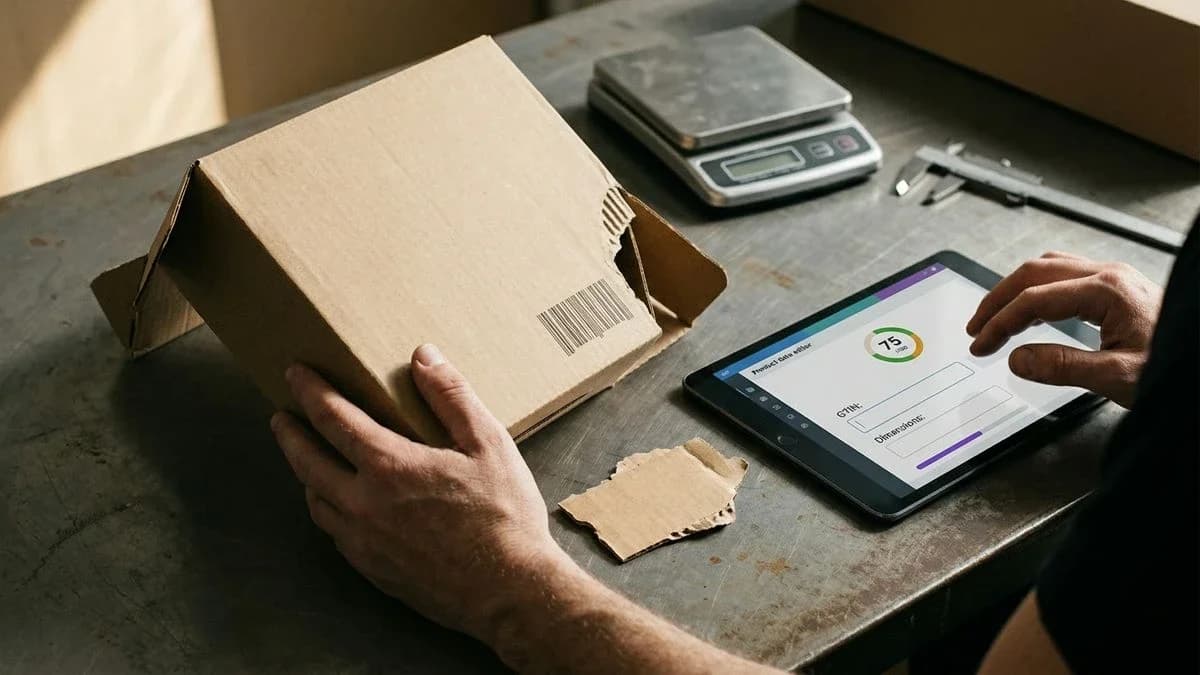
Use AI with a WooCommerce catalog: fill empty fields with verified facts, rewrite with checks, and suggest a Google category for confirmation. No invented measurements, brands, or GTINs.
How to Build an AI Product Catalog Without Inventing Data
Building an AI product catalog without inventing data means letting the model write only what is already in your materials: title, measurements, material, brand, photos, and price list. AI can fill empty fields with verified facts, rewrite product copy while checking every claim, and suggest a Google category for you to confirm. It must not invent centimetres, brands, or GTINs. If a fact is missing, the field stays empty. This way, the Google Shopping crawler and assistants read the same truth you have in your inventory.
A Merchant Center crawler does not “understand” the product: it reads fields. In a typical feed, it looks for id, title, description, link, image_link, price, availability, brand, and gtin (or identifier_exists). In WooCommerce stores, these fields are often empty: no brand, no declared GTIN, no Google category mapping, and weight and dimensions listed only on the box. AI that invents information to fill the gaps creates longer, less verifiable product pages. Useful AI completes, rewrites, and classifies, then stops.
Why an AI-written catalog can distort the facts
A model without constraints fills gaps with plausible measurements, brands, and certifications that do not belong to your inventory.
The “empty” product page is the most dangerous ground. The material is missing, the diameter is missing, the brand is missing: the model completes the copy anyway because it is trained to produce fluent text. The result looks like a marketplace listing, but it mixes three layers that should remain separate. The first layer is what you wrote yourself (title, SKU, price). The second is what can be verified from public sources (the manufacturer’s product page, price list, or packaging). The third is what the model invents to avoid leaving gaps.
Google Shopping and assistants do not distinguish between these three layers if you merge them into one paragraph. An invented measurement enters the title and description, then the feed, then the answers. Correcting it later costs more than leaving it empty. An empty field is honest data: it says that fact is not in your possession.
A catalog without fact verification is not a faster catalog: it is a catalog that mixes store facts with model inventions.
What AI actually does with a WooCommerce catalog
Useful AI fills empty fields with verified facts, rewrites the copy while checking every claim, and suggests a Google category for you to confirm.
Three tasks, three limits. Completing means writing only where a field is empty: specifications, materials, dimensions, weight, a verified brand, or a Google category when certain, each with a source. Rewriting means rephrasing the title and description without adding brand history, certifications, or figures that are not in your materials. Suggesting a category means proposing a Google taxonomy entry for each store category: the ID enters the feeds only after you confirm it.
There are also three things AI must not do. It must not invent measurements in centimetres or millilitres. It must not assign a brand because the product “looks like” it. It must not search the web for a GTIN. It must not declare an item “new”, “refurbished”, or “used” unless you said so. It must not fill aggregateRating or reviews if the store has no real reviews.
- Complete: only empty fields, with a fact and source; otherwise the field stays empty.
- Rewrite: same product, same factual boundaries, clearer copy for search and assistants.
- Classify: Google category suggested, never added to the feed without confirmation.
- Images: alt text based on the photo, in the relevant language; no “illustrative” image presented as a real product shot.
- Identity: the store SKU as the key, with no duplicates during synchronisation.
- Variants: the same title with size, colour, or pack details, grouped only after confirmation.
- Honest silence: if the warehouse does not have the weight, the weight is not written.
Anyone updating a catalog between an order and a workbench does not have a dedicated SEO session. What is needed is one pass: import a CSV or PDF, fill the gaps, rewrite with verification, confirm the category and GTIN, and synchronise by SKU. Mechanical corrections (all-uppercase titles, messy HTML, undeclared condition) belong on a free, visible track, not inside a paid rewrite disguised as something else.
An artisan selling ceramics and managing around forty productsForty vases are not big data: they are forty opportunities to invent the glaze, diameter, or weight. AI can standardise titles, clean the HTML, and suggest a Google category such as home furnishing containers. It cannot write “porcelain stoneware” if the wheel only says “ceramic”. It cannot enter 18 cm when the title says 20 cm. A short, truthful listing beats a long, unsupported one, especially when the same object is sold on Amazon, eBay, Etsy, or Vinted.
For anyone starting from a supplier PDF price list or CSVA supplier price list has columns and silences. A CSV row with id, title, and price but no brand or gtin does not authorise anyone to “guess” the barcode. A 12-page PDF should be read in blocks, with embedded images matched to the correct product. Turning a price list into a product page is a mapping task, not an invention task: the same topic is covered in how a PDF price list becomes product pages ready for your store.
How fact verification works during rewriting
Fact verification blocks brands, certifications, and brand stories that are not in your materials, and the work is not charged if the text does not pass.
A claims verifier reads the draft and flags anything that is not in the original product information. A brand absent from the title and CSV does not go in. A “CE” or “OEKO-TEX” certification not printed on the packaging does not go in. A sentence about the founder or the workshop’s founding year does not go in unless you already wrote it. A base of public facts about the brand, when the brand is yours or has been declared, is used for checking, not for copying brochures found online.
If the draft fails, it is tried again using the verifier’s feedback. The rewrite credit is not charged when the text does not pass. This is the opposite of “generate and publish”: here, the text is either aligned with the facts or it does not exist. If you want to start from an already structured product page, the AI product description generator works within this scope, not on free-form novel writing.
The consistency gate when data contradicts the title
If a measurement found online contradicts the store title, the store’s data wins and the external measurement is not added.
The consistency gate is the simplest rule to explain and the one generic tools violate most often. Example: the merchant title is “Ceramic vase, 20 cm diameter”. A manufacturer page or third-party marketplace lists 18 cm. A model without a gate “averages” the figures or chooses the most frequent number. A model with a gate rejects 18 cm. This is not an aesthetic judgement: it is a priority order. The data you sell, the data in your management system, beats the web.
The same applies to material and pack size. “Cotton” in the title and “linen” in a page found online: it stays cotton. “Set of 2” in the CSV and “single item” on a foreign website: it stays a set of 2. The gate does not enrich the product. It prevents enrichment from making you sell an item different from the one in the box.
GTIN and Google category: what should never be searched online
The GTIN is read only from packaging photos, a PDF, or a CSV column and must pass the GS1 check digit; the Google category is suggested, not imposed.
Searching for a barcode in a search engine is the fastest way to attach another seller’s GTIN to your SKU. That is why the GTIN is never searched online. It is read from a photo of the packaging, a PDF price list, or the CSV column. The GS1 check digit is then calculated. If the digit does not match, the code is not added. If there is no code, the absence of a manufacturer GTIN is declared (identifier_exists false), after explicit confirmation, not silently.
The Google category is a different object. It is not text to “guess” in the description. It is a taxonomy ID, different from the WooCommerce theme category (WooCommerce › Products › Categories). The tool can suggest an entry for each store category. You confirm it. Only the confirmed ID enters the feeds. Without confirmation, the field stays out: that is preferable to an invented classification that sends a vase to “gardening” when you sell tableware.
The GTIN is read only from the merchant’s materials and must pass the GS1 check digit. It is never searched online.
From CSV or PDF to product page, step by step
Map the file fields to catalog fields, complete only verified gaps, rewrite with checks, confirm the GTIN and category, then synchronise by SKU.
A product feed is the table channels read instead of the storefront. Field names are not poetry: id, title, description, link, image_link, price, availability, brand, gtin, or identifier_exists. When available, add google_product_category, item_group_id, condition, weight, and dimensions. WooCommerce exposes them under Product data (General, Inventory, Shipping, Attributes). Merchant Center receives them from the product data sources. If you start from a file, the work is aligning names, not inventing values.
- Phase 1 (Collection): export the CSV from WooCommerce › Products, or import the supplier’s PDF price list or CSV. Keep photos attached to the PDF with the correct row.
- Phase 2 (Mapping): match each column to a field. “Code” goes in id or SKU. “Name” goes in title. “Price including tax” goes in price with the currency. Do not map an empty column to gtin.
- Phase 3 (Completion): run completion only on empty fields. Brand, material, dimensions, and Google category are added when there is a sourced fact. The second credit for “Improve and complete fields” is charged only if at least one field is written.
- Phase 4 (Rewriting): rewrite title and description with fact verification. A rewritten product page costs 1 credit. If the text does not pass the verifier, the credit is not charged.
- Phase 5 (Identity): GTIN only from packaging, PDF, or CSV, with the GS1 check digit. If absent, declare “no manufacturer GTIN” after confirmation. Variants (size, colour, pack) are proposed as variants of a single product and grouped only after confirmation.
- Phase 6 (Images): check dimensions and format. Always verify the current image-format requirements in the official Google and Meta documentation, because minimum thresholds can change over time. Write alt text by looking at the photo, in the relevant language. Do not share one photo across ten different SKUs if the products are not the same item.
- Phase 7 (Publishing): synchronise WooCommerce bidirectionally. Export only ready product pages as a CSV file and upload it as a data source in Merchant Center. Mechanical corrections remain reversible for 30 days.
Example before. Title: “BLUE HANDMADE VASE 20CM!!!”. Description: “Beautiful handmade vase, ideal for every home. Premium quality.” Empty fields: material, weight, brand, gtin, google_product_category. HTML with three exclamation marks and no consistent measurement apart from the 20 cm already in the title.
Example after, without inventions. Title: “Blue glazed ceramic vase, 20 cm diameter”. Description: “Blue glazed ceramic vase, 20 cm diameter, made on a pottery wheel. Glossy surface. Suitable for cut flowers or display.” Material: glazed ceramic (from the title and price list). Weight: empty because it is not in the inventory. Brand: empty if it is not in the CSV. GTIN: not searched; identifier_exists set only after confirmation. Google category: suggested for confirmation, not added automatically to the description.

Common errors
The most frequent errors come from a copied GTIN, a guessed brand, an image that is too small, or a rewrite that contradicts the title.
Merchant Center warning about an invalid GTIN. This happens when the code has an incorrect GS1 check digit, contains spaces, or is the GTIN of another item found online. Resolve it by rereading the code from the packaging, PDF, or CSV column, recalculating the digit, and leaving the field empty with identifier_exists if the code does not exist. Do not manually “fix” the final digit to make it pass.
Merchant Center warning about the missing brand. This happens when the brand is not in the feed and someone, to remove the warning, enters the store name or a similar famous brand. Resolve it by entering the brand only if it is on the product. If you sell unbranded items, do not fill the field with a convenient name: leave it empty and work on the title and category.
Merchant Center warning about an image that is too small. This happens when the photo is below the channel’s required threshold: check the current requirements in Google’s official documentation. Resolve it by replacing the file, not by stretching the pixels. If there is no photo, import one from the PDF or upload it manually; an image labelled as illustrative does not replace a photo of the real item.
WooCommerce warning about a duplicate SKU while editing a product. This happens when the same item is reimported without using the SKU as the key, creating a duplicate. Resolve it by synchronising by SKU and merging variants only after confirming item_group_id. Do not change the SKU just to make the row fit.
No on-screen message, but a worse kind of damage: a rewrite that adds “100% cotton” or “18/10 stainless steel” because it “sounds right”. Merchant Center has no warning for an invention. A customer receives a different material. Resolve it with the consistency gate and by rejecting text that does not pass verification: a short description is better than a false specification.
How Katapic fixes the catalog without replacing your judgement
Katapic uses AI only on real store data: it fills gaps with sources, rewrites with verification, suggests a Google category, and leaves every confirmation to you.
The initial scan of a public WooCommerce catalog is anonymous, read-only, covers up to 100 products, and requires no account. It changes nothing without consent. For each product, separate scores remain visible for classic search and assistant readiness, along with a data readiness check; relevance and field completeness come with a free account. The AEO checker for WooCommerce is the starting point if you want to see the gaps before writing a line.
Then the separate tracks begin. Free corrections (Title Case for all-uppercase titles, HTML cleanup, condition, declaration of no manufacturer GTIN, variant grouping, and Google category confirmation) require explicit confirmation, do not run silently, and remain reversible for 30 days. Rewriting with fact verification uses a claims verifier, the consistency gate, and a second attempt: if the text does not pass, the credit is not charged. “Improve and complete fields” writes only empty fields. The GTIN is not searched online. WooCommerce synchronisation is bidirectional, using the free plugin on WordPress.org.
No subscription: credits do not expire, and there is a one-time free trial with no card required. This is the ethic declared by Katapic: AI does not invent specifications, does not replace the judgement of the person selling the product, and disappears when the catalog is aligned. If you want to measure completeness again after confirming fields, run the scan again and compare the fields, not a ranking promise.
Frequently asked questions about product catalogs and AI
What does AI do in a product catalog, and what must it not invent?AI fills empty fields with verified facts, rewrites the title and description without adding missing numbers or brands, and suggests a Google category for confirmation. It does not invent measurements, certifications, brand history, or GTINs. If the material or weight is not in your files, the field stays empty. A shorter, truthful text is more useful than a long listing built on assumptions.
How do you use AI on a product catalog without hallucinations?Start with the store’s materials (CSV, PDF, packaging photos, and WooCommerce fields) and separate three actions: completing, rewriting, and classifying. Every claim passes a verifier. The consistency gate rejects anything that contradicts your title. The GTIN is not searched online. If the draft does not pass, it is not published and the rewrite is not charged. Leaving a field blank is preferable to an assumption.
Can AI complete empty fields in a WooCommerce catalog?Yes, if the field is empty and the fact can be verified with a source: material, dimensions, weight, brand, or Google category. This is not an automatic filling of every gap. Brand and GTIN stay out when they are not in your materials. In WooCommerce, fields are under Product data (General, Inventory, Shipping, Attributes): AI writes them only after confirmation, and synchronisation uses the SKU to avoid duplicates.
How does fact verification work on product pages?A verifier reads the draft and flags brands, certifications, and brand stories that are not in the original product information. A base of public facts about the brand, when the brand is declared, is used for checking. If a measurement found online contradicts the title, the title wins. The text is tried again using the feedback. When it does not pass, the rewrite credit is not charged and the original product page remains unchanged.
Can AI search the web for a GTIN?No. The GTIN is read only from a packaging photo, PDF, or CSV column, and must then pass the GS1 check digit. Searching for it online risks attaching another item’s code to your SKU. If there is no code, the absence of a manufacturer GTIN is declared after explicit confirmation. identifier_exists false is honest data; a made-up GTIN is an identity error.
How do you turn a CSV or PDF into an AI product page?Map the columns to feed fields (id, title, description, price, brand, gtin). Complete only verified gaps. Rewrite with checks. Confirm the Google category and, if available, the GTIN. Check the images and synchronise by SKU. Read the PDF in blocks, matching embedded photos to the correct row. No step authorises inventing a number that the file does not contain.
What does the consistency gate do with product data?It sets an order of priority: the merchant’s data beats the web. If the title says 20 cm and an external page says 18 cm, 18 cm is not added. If the CSV says cotton and a third-party page says linen, it stays cotton. The gate does not “improve” the product: it prevents enrichment from describing an item different from the one in your inventory. It is a way to use AI on the catalog without replacing the seller’s judgement.
Frequently asked questions
- What does AI do in a product catalog, and what must it not invent?
- AI fills empty fields with verified facts, rewrites the title and description without adding missing numbers or brands, and suggests a Google category for confirmation. It does not invent measurements, certifications, brand history, or GTINs. If the material or weight is not in your files, the field stays empty.
- How do you use AI on a product catalog without hallucinations?
- Start with CSVs, PDFs, packaging photos, and WooCommerce fields. Separate completing, rewriting, and classifying. Every claim passes a verifier, and the consistency gate rejects anything that contradicts the title. The GTIN is not searched online. If the draft does not pass, it is not published.
- Can AI complete empty fields in a WooCommerce catalog?
- Yes, if the field is empty and the fact can be verified: material, dimensions, weight, brand, or Google category. Brand and GTIN stay out when they are not in your materials. In WooCommerce, fields are written after confirmation and synchronised by SKU to avoid duplicates.
- How does fact verification work on product pages?
- A verifier flags brands, certifications, and brand stories absent from the original product information. If a measurement found online contradicts the title, the title wins. The text is tried again using the feedback. If it does not pass, the rewrite credit is not charged and the original page remains unchanged.
- Can AI search the web for a GTIN?
- No. The GTIN is read only from a packaging photo, PDF, or CSV column, then must pass the GS1 check digit. Searching online risks attaching another item’s code to your SKU. If there is no code, the absence of a manufacturer GTIN is declared after explicit confirmation.
- How do you turn a CSV or PDF into an AI product page?
- Map the columns to id, title, description, price, brand, and gtin. Complete only verified gaps, rewrite with checks, confirm the Google category and GTIN, check the images, and synchronise by SKU. Read the PDF in blocks, matching photos to the correct row.
- What does the consistency gate do with product data?
- It gives the merchant’s data priority over the web. If the title says 20 cm and an external page says 18 cm, 18 cm is not added. If the CSV says cotton and a third-party page says linen, it stays cotton. This prevents AI enrichment from describing a different item from the one in your inventory.