
Comparing AI Product Description Tools for WooCommerce Honestly
A criteria-based comparison of AI product description tools for WooCommerce: fact checking, variants, pricing model, and what happens when text fails review.
AI product description tools for WooCommerce: what actually separates them
AI product description tools for WooCommerce are software that read your product data and generate or rewrite listing copy. The meaningful differences between them are not the logo or the interface: they are whether the tool checks facts before publishing, whether it understands variants and GTIN, whether it syncs back into your store, and whether you pay per action or per month regardless of use.
Many comparisons online rank these tools by feature checklists that read the same for every product. What a WooCommerce catalog actually needs is narrower: does the tool read your existing fields (title, SKU, attributes, categories) before writing, does it avoid inventing a certification or a material that isn't in your source data, and does it write back into WooCommerce without creating duplicate SKUs. A tool that nails the writing style but ignores your product_meta or overwrites a GTIN field silently will cost you more time fixing errors than it saved.

Why criteria matter more than brand names when comparing these tools
Comparing AI description tools by criteria instead of by brand reputation reveals which ones actually protect your product data and which ones just generate plausible-sounding text.
Four criteria decide whether a tool fits a WooCommerce catalog: fact verification, variant and GTIN handling, pricing model, and what happens when generated text fails a quality check. A tool can look polished in a demo and still fail on all four once it touches a real catalog with three hundred SKUs and inconsistent attribute data.
- Does the tool verify claims against a knowledge base, or does it just paraphrase what you gave it?
- Does it read your GTIN from your own data, or does it search the web for one and risk grabbing the wrong code?
- Do you pay per description, or does the price stay the same whether you write one listing or three hundred?
- What happens to your credit or your subscription fee if the output is wrong?
Criterion one: does the tool preserve facts or invent them?
The first criterion is whether the generated text sticks to verifiable facts about the product or fills gaps with plausible-sounding invention.
A generic AI writing tool, used by typing a prompt by hand, has no access to your product's real specifications unless you paste them in every time. It will happily write "made from premium sustainable materials" for a product where the material field is empty, because nothing stops it. A tool built specifically for catalog rewriting should read the fields you already have and refuse to add a fact it cannot source.
A description that invents a certification your product doesn't hold isn't a shortcut, it's a liability with your name on the listing.Sellers with precise technical specifications (materials, dimensions, certifications)
If your listings depend on accurate technical detail, look for a rewriting process that treats your own data as the source of truth and only pulls outside facts with a citation attached. A tool that lets an unrelated web result override your stated dimension is a bigger risk than a plain, unedited description.
Sellers with thin starting data (a photo, a PDF price list, a few lines of text)If your catalog started as a spreadsheet or a supplier PDF, the tool needs to fill gaps carefully, not confidently. The safer pattern is a tool that only writes into fields that are actually empty, and treats any web-sourced fact as provisional until you confirm it.
Criterion two: variant handling, GTIN, and two-way sync with your store
The second criterion is whether the tool understands that "T-shirt, size M, blue" and "T-shirt, size L, red" are the same product with different variants, and whether it writes changes back into WooCommerce without creating duplicates.
Grouping variants correctly matters for both shoppers and feeds: Google Shopping and AI shopping feeds expect an item_group_id linking size and color options of the same base product. A tool that treats every variant as a separate, unrelated product will multiply your catalog's clutter instead of cleaning it. GTIN handling is a related risk: a code should come from your own packaging, PDF, or CSV column and pass the GS1 check digit, never be guessed from a web search, where a lookalike product could return the wrong number entirely.
Catalogs with a stable, slow-moving product rangeIf you add a handful of new products a month, a one-time bulk correction pass followed by occasional manual updates may cover most of your needs without any recurring cost.
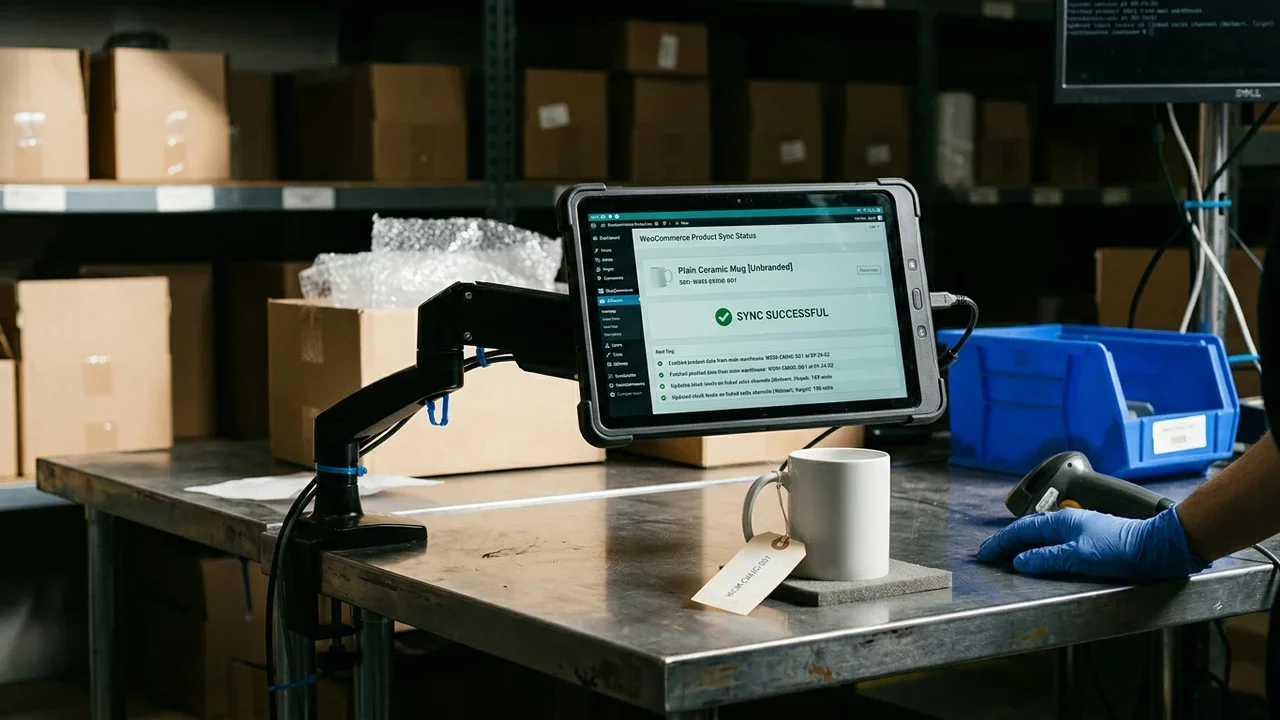
Catalogs adding dozens of new listings every weekIf new SKUs arrive constantly, the sync needs to be bidirectional and SKU-matched, so a re-import never creates a duplicate product and every new listing inherits the same fact-checking pass as the rest of the catalog.
Criterion three: credits versus a recurring subscription
The third criterion is the pricing model: some tools charge a monthly fee regardless of how much you use them, others charge per action with credits that don't expire.
A subscription makes sense if you rewrite listings constantly, every week, at scale. It makes less sense for a seller who runs a seasonal correction pass twice a year, or who has three hundred products and no plan to touch most of them again soon. A credit-based model, where a rewritten listing or a generated image costs a fixed number of credits and unused credits simply carry over, matches spend to actual work done rather than to a calendar.
Criterion four: what happens when the generated text fails verification
The fourth criterion is what the tool does when its own fact check flags a problem: does it publish anyway, does it ask you to fix it manually, or does it retry?
A tool with no verification step has nothing to fail, which sounds safe until you notice it also has nothing stopping it from inventing a claim. A tool that verifies and then simply blocks the output leaves you back at square one. The more useful pattern is a second attempt with feedback on what didn't check out, and no charge for the attempt that failed.
A rewriting engine is only as trustworthy as what it does the moment a fact doesn't check out, not what it promises in the marketing copy.
How to compare Katapic, Describely, WriteText.ai, GetGenie, Hypotenuse, Jasper, and manual AI prompting
Comparing these tools side by side on public, verifiable facts, rather than star ratings, shows real differences in fact checking, WooCommerce integration, and pricing structure.
The comparisons below rely only on what each vendor states publicly about their own product. Where a tool wins on a specific point, that's stated plainly; where it doesn't cover something, that's stated too.
Katapic- What it does: reads existing WooCommerce fields, rewrites weak descriptions with a verifier that compares every claim with your data and the cited sources, and sends the listings you approve back to the WooCommerce store.
- Stated pricing: one-time credit packages, no subscription; a rewritten listing costs 1 credit, an image costs 1 credit.
- Native WooCommerce: yes, free plugin listed on WordPress.org with bidirectional sync.
- Fact verification: yes, with a consistency gate that keeps the merchant's own stated measurement over a conflicting web result, a second attempt on failure, and no credit charged if the retry also fails.
- Languages: 10.
- What it does: generates and bulk-rewrites WooCommerce and Shopify product descriptions from existing product data, and gives each product a GEO score and a Conversion score.
- Stated pricing: pay-as-you-go, per product, with unlimited generations for that product.
- Native WooCommerce: yes, listed as a supported platform on the vendor's site.
- Fact verification: not documented publicly as a distinct fact-checking or claim-verification step.
- Languages: multiple languages supported per the vendor's site; exact count not specified publicly in a way we can verify here.
- What it does: an AI copywriting tool focused on generating SEO product descriptions in bulk for online stores, with a WooCommerce plugin listed among supported platforms.
- Stated pricing: subscription plans listed on the vendor's pricing page, billed monthly or annually.
- Native WooCommerce: yes, plugin available.
- Fact verification: not documented publicly as a distinct verification step separate from generation.
- Languages: multiple languages listed on the vendor's site.
- What it does: a WordPress-native AI writing plugin covering blog content, SEO metadata, and product description generation among broader content use cases.
- Stated pricing: subscription tiers on the vendor's pricing page.
- Native WooCommerce: yes, built as a WordPress plugin with WooCommerce content support.
- Fact verification: not documented publicly as a dedicated fact-checking mechanism.
- Languages: multiple languages supported per the vendor's site.
- What it does: an AI content platform for ecommerce that generates product descriptions and other marketing copy, with integrations for several platforms.
- Stated pricing: subscription plans on the vendor's pricing page.
- Native WooCommerce: integration availability listed on the vendor's site; check current platform support before committing.
- Fact verification: not documented publicly as a distinct verification layer.
- Languages: multiple languages listed on the vendor's site.
- What it does: a general-purpose AI writing platform used for marketing copy of many kinds, including product descriptions, not built specifically around catalog structure.
- Stated pricing: subscription tiers on the vendor's pricing page.
- Native WooCommerce: no dedicated native WooCommerce plugin; output is typically copied in manually or via a general integration.
- Fact verification: not built as a catalog fact-checking tool; general-purpose writing assistants do not verify product specifications against a knowledge base.
- Languages: multiple languages supported as a general writing tool.
- What it does: whatever you prompt it to do, one listing at a time, with no persistent connection to your catalog.
- Stated pricing: often free or included in an existing subscription to the assistant itself.
- Native WooCommerce: none; every output has to be copied and pasted into the store manually.
- Fact verification: none beyond what you personally check before pasting; the assistant has no access to your product's real specifications unless you type them in every time.
- Languages: depends on the assistant, typically broad but with no catalog-specific calibration.
A practical checklist for testing a tool on your own catalog before committing
Testing a tool on a handful of real listings, before buying credits or a subscription, is the only reliable way to see how it handles your actual data.
- Pick five products with different data quality: one with full specs, one with almost none, one with several variants.
- Run the rewrite and check whether any fact appeared that wasn't in your original fields.
- Check whether variants got grouped or duplicated after the sync.
- Check whether the GTIN, if you have one, stayed exactly as you entered it.
- Note what the tool charged you, and whether that charge changes if the output fails your own review.
Common errors when adopting an AI description tool for WooCommerce
Many problems with these tools trace back to a handful of predictable failures, not to the tool being fundamentally broken.
The description overwrote a field you didn't want touched. This happens when a tool rewrites the entire product content instead of only filling empty fields; check whether the tool lets you scope the rewrite to specific fields before running it in bulk.
Two variants ended up as two separate products in the feed. This happens when the tool doesn't recognize an item_group_id pattern across size or color options; check whether variant grouping requires your confirmation or happens silently and incorrectly.
A re-import created duplicate SKUs. This happens when sync isn't matched by SKU and instead matches by title, which breaks the moment two products share a similar name; a tool with SKU-based bidirectional sync avoids this entirely.
How Katapic fits into fixing a WooCommerce catalog's visibility gaps
Katapic starts from a free, read-only scan of a public WooCommerce catalog, up to 100 products, no account required, giving each product two separate scores (classic search and AI readiness); brand relevance and completeness come with a free account. From there, the rewriting engine only rewrites weak listings starting from your data, and a verifier compares every claim with the sources before the text is proposed to you, with a consistency gate that keeps your own stated measurement over a conflicting web result. Pricing is credit-based with no subscription: a rewritten listing costs 1 credit, an image costs 1 credit, and packages don't expire. A rewrite that fails the checks, or that doesn't raise the score, isn't saved and costs you nothing. For sellers who want to see exactly where their catalog stands before spending anything, Katapic runs that scan for free.
For a closer look at readiness scoring specifically, see 5 Ways to Measure the AEO Readiness of a WooCommerce Product, and to understand how AI search engines read product data and copy together, see Why Google Reads Your Product Data and Your Words Together. If you're weighing a consultant against software for a smaller catalog, SEO consulting or software for your artisan product catalog? covers that decision directly.
Frequently asked questions about AI product description tools for WooCommerce
What does an AI product description generator for WooCommerce actually do?It reads existing product data, such as title, attributes, and category, and generates or rewrites the description field based on that data. The better tools start from your data and avoid inventing specifications that aren't present anywhere in your catalog or supplied documents.
How do I connect WooCommerce to ChatGPT for product visibility?WooCommerce has no automatic integration: after OpenAI's approval, you prepare and upload a product feed with the fields of the specification (item_id, title, description, url, brand, seller_name, image_url, availability, and price). This is a feed export, not a plugin setting inside WooCommerce itself; see the dedicated guide on submitting a WooCommerce product feed to ChatGPT without errors for the exact steps.
What is a WooCommerce ChatGPT product feed and why does it matter?It's a structured export of your catalog in the format OpenAI's shopping features read, separate from your Google Shopping feed. Without a properly formatted feed, it seems harder for an AI shopping assistant to have a structured version of your catalog to reference.
What is a WooCommerce OpenAI product feed, and is it the same as the ChatGPT feed?Yes, this refers to the same underlying feed format read by OpenAI's shopping integration inside ChatGPT. The naming varies depending on the source, but the technical requirement, correct fields and valid values per SKU, is the same.
How does a product get four scores: SEO, AI search, brand relevance, and completeness?A scoring tool checks specific, named fields and content patterns, such as missing attributes, image dimensions, and title structure, against known requirements for each channel and totals a score per axis. Katapic's free scan gives each product separate scores for classic search and AI readiness, based on what's actually present or missing in the catalog data; brand relevance and completeness are added with a free account.
Should I hire a WooCommerce SEO consultant or use software instead?It depends on catalog size and how often it changes: a consultant can be worth it for a one-time strategic audit or a small, stable catalog, while software fits better for catalogs with dozens or hundreds of SKUs that need repeated, consistent fixes. The comparison in SEO consulting or software for your artisan product catalog? breaks down when each makes more sense.
What's the real difference between paying with credits and paying a subscription for this kind of tool?A subscription charges the same amount every month regardless of usage, which suits continuous, high-volume rewriting. Credits are charged per action, don't expire, and let a seller with a smaller or seasonal catalog pay only for the work actually done, without a recurring fee sitting idle between usage bursts.
Further reading
Frequently asked questions
- What does an AI product description generator for WooCommerce actually do?
- It reads existing product data, such as title, attributes, and category, and generates or rewrites the description field based on that data. The better tools start from your data and avoid inventing specifications that aren't present anywhere in your catalog or supplied documents.
- How do I connect WooCommerce to ChatGPT for product visibility?
- WooCommerce has no automatic integration: after OpenAI's approval, you prepare and upload a product feed with the fields of the specification (item_id, title, description, url, brand, seller_name, image_url, availability, and price). This is a feed export, not a plugin setting inside WooCommerce itself; the dedicated guide covers the exact steps.
- What is a WooCommerce ChatGPT product feed and why does it matter?
- It's a structured export of your catalog in the format OpenAI's shopping features read, separate from your Google Shopping feed. Without a properly formatted feed, it seems harder for an AI shopping assistant to have a structured version of your catalog to reference.
- What is a WooCommerce OpenAI product feed, and is it the same as the ChatGPT feed?
- Yes, this refers to the same underlying feed format read by OpenAI's shopping integration inside ChatGPT. The naming varies depending on the source, but the technical requirement, correct fields and valid values per SKU, is the same.
- How does a product get four scores: SEO, AI search, brand relevance, and completeness?
- A scoring tool checks specific, named fields and content patterns, such as missing attributes, image dimensions, and title structure, against known requirements for each channel and totals a score per axis. A free scan can give each product separate scores for classic search and AI readiness, based on what's actually present or missing; in Katapic, brand relevance and completeness are added with a free account.
- Should I hire a WooCommerce SEO consultant or use software instead?
- It depends on catalog size and how often it changes: a consultant can be worth it for a one-time strategic audit or a small, stable catalog, while software fits better for catalogs with dozens or hundreds of SKUs that need repeated, consistent fixes.
- What's the real difference between paying with credits and paying a subscription for this kind of tool?
- A subscription charges the same amount every month regardless of usage, which suits continuous, high-volume rewriting. Credits are charged per action, don't expire, and let a seller with a smaller or seasonal catalog pay only for the work actually done.