
You do not need to optimize your entire catalog at once: here is how to choose the right products to start with and what to check on each product page.
Product catalog SEO optimization: where to start without getting lost
Product catalog SEO optimization is the process of making every product page understandable both to Google and AI search engines through descriptive titles, complete attributes, images with alternative text, and consistent structured data. It does not mean rewriting the entire catalog at once. Instead, it means prioritizing the products with the greatest traffic potential and fixing their most serious gaps first.
A crawler reads a product page as a collection of separate fields: title, description, category, attributes, images, and schema.org/Product markup. When one of these fields is empty or generic, a supplier-provided description copied as-is, a title without the material or size, or an image without alt text, the crawler has fewer clues to work out what the product is, and the page loses ground to competitors that have completed every field. The same applies to AI assistants that generate answers from page text, structured data, and product feeds: when key facts are missing, the product is less likely to be mentioned.

Why optimizing the entire catalog at once is the first mistake
Optimizing the entire catalog simultaneously spreads available time too thin and delays results for every individual product.
Anyone managing three hundred or more products who approaches optimization as one massive project ends up working superficially on everything without truly completing a single page. The result is a mediocre catalog across the board instead of a core group of products that is genuinely ready to be found.
The right approach is the opposite: isolate a subset of products, bring them to a high level of completeness, measure the effect, and then move on to the next group. It is the same principle behind any batch-based workflow: visible results first, rather than only at the end.
For anyone managing a catalog with hundreds of productsIn this case, choosing the first products to optimize is not a minor detail. It is the decision that determines whether a week's work produces a measurable result or disappears into the larger catalog.
How to choose the products to start with
The first products to optimize are those with the highest margin, the most tangible estimated search volume, and the least complete product pages.
A practical criterion combines three signals: which products already generate organic traffic but rank poorly, which have the most attractive profit margin, and which have visibly weak pages, only a few lines of description, a single image, or no attributes. Combining these three signals produces a short list that can realistically be handled in a week of work.
- Best sellers with a supplier description that is still generic
- High-margin products with no recorded organic traffic
- Upcoming seasonal products to prepare before the search peak
- Categories with many similar variants, such as color or size, that confuse Google filters
Here, the choice is simpler: just a few items can make a difference to revenue, so it makes sense to start with the best-selling pieces in physical markets and check whether they have the same descriptive strength online.
For anyone selling across several channels, from WooCommerce to Etsy or AmazonIn this scenario, priority should go to products sold across multiple marketplaces, because every improvement to the main product page can be reflected, with minimal adjustments, across all connected channels.
What to check on a product page: titles, attributes, and images
A well-prepared product page has a descriptive title, complete structured attributes, at least three images with alt text, and a description that does more than simply repeat the technical specifications.
The title should include the product name, its material or distinguishing feature, and, where relevant, its size or variant. A title such as "ceramic vase" communicates little; "handmade blue glazed ceramic vase, 25 cm" gives both the crawler and the reader concrete information on which to base a purchase decision.
Attributes such as color, material, size, and weight power search filters and feeds for AI engines. When they are empty, the product risks being left out of the comparisons assistants create in response to queries such as "small blue ceramic vase." Images matter in the same way: every file should have a descriptive name and alt text explaining what is shown, not only for accessibility but also because this is one of the few ways an engine can understand a product visually without actually seeing it.
A catalog with incomplete attributes is not invisible to Google, but it leaves an assistant fewer facts to mention in an answer.
How to measure a product's SEO and AEO readiness objectively
A product's SEO and AEO readiness is measured on the signals in the text, and completeness on which fields are filled in and which are missing, rather than relying on intuition.
Many merchants assess a product page "by eye," looking at whether it appears complete. The problem is that a crawler does not evaluate aesthetics: it reads specific fields one by one. You therefore need a structured check that verifies the presence of a qualified title, original description, completed attributes, images with alt text, and valid schema.org/Product markup.
A free tool such as the free AEO check for WooCommerce reads the latest products in the store, up to 100, and assigns each one an SEO score and an AEO score, with the weakest product pages highlighted. This turns a subjective assessment into a concrete list of actions that can be ordered by priority.
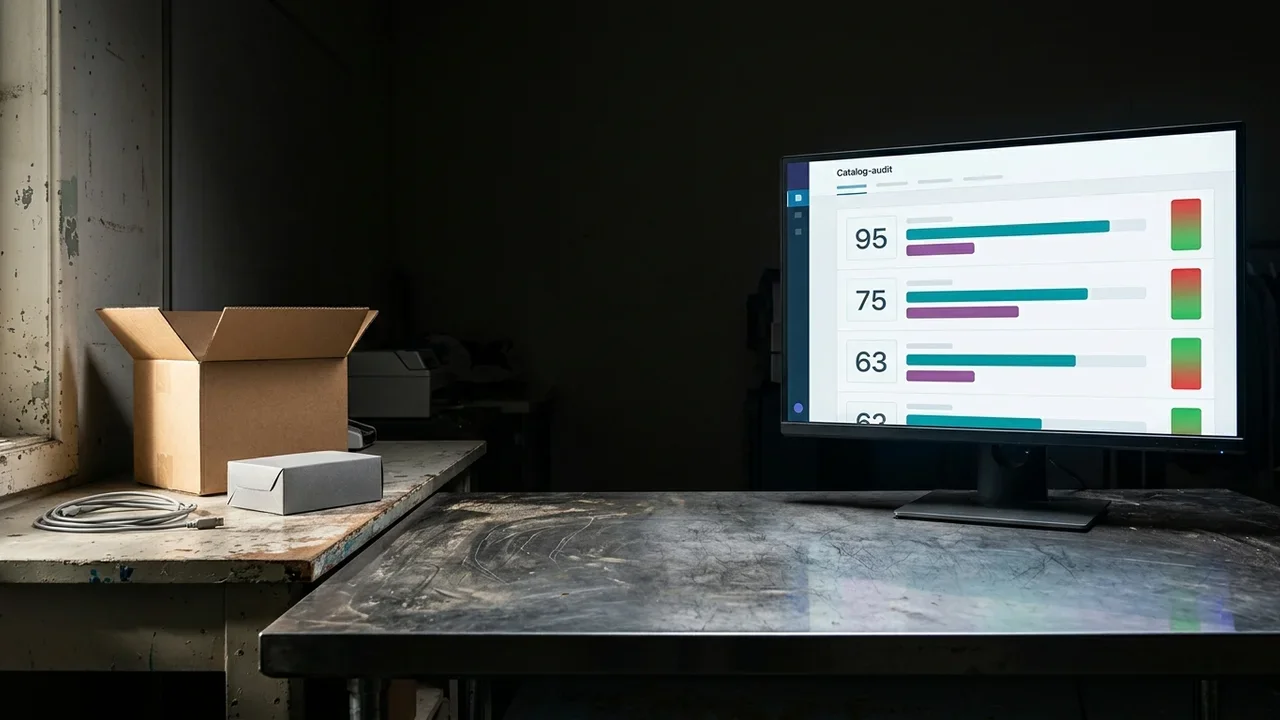
The concept does not require technical expertise. It is simply a way to know, product by product, what is missing before visibility is lost.
The first practical step to take today, without technical expertise
The first practical step is to scan five or ten key products with an audit tool and fix only the fields identified as missing.
You do not need to read a two-hundred-page SEO guide before taking action. Simply select a small group of products using the criteria above, run a structured check, and make changes only where the check identifies a gap. This approach focuses effort where it is genuinely needed and makes the work measurable one batch at a time.
- Choose 5-10 priority products based on margin and traffic
- Run a structured scan to identify missing fields
- Improve titles, attributes, and images based on the resulting score
- Repeat the cycle with the next group of products
Mistakes that slow down catalog optimization
The most common mistakes are copying supplier descriptions, ignoring attributes, and giving every product page the same priority.
Copying the manufacturer's description may seem like a time-saver, but it creates duplicate content that appears identically across dozens of other stores. No search engine has a reason to prefer that page. Ignoring attributes reduces the possibility of appearing in advanced search filters and comparisons generated by AI assistants. Finally, treating every product page as equally urgent, as discussed above, is the surest way to never fully complete any optimization work.
A generic title costs more to recover later in lost visibility than it takes to write it properly the first time.For anyone with little time for daily catalog management
In this case, the typical mistake is postponing the entire audit until "there is time." It is better to set aside an hour, scan the priority products, and fix only what is genuinely missing.
How Katapic fits into this process
Katapic helps measure the SEO and AEO readiness of a WooCommerce catalog objectively, without requiring technical expertise or complex onboarding.
No endless menus, no three-hour onboarding. Every product receives four scores out of 100 (SEO, AI search, brand relevance and completeness), so catalog managers know where to start instead of having to guess. The rewriting engine works only with the product's real data and does not invent specifications that someone would later have to correct during the sales process. For anyone who wants to understand the state of their catalog immediately, Katapic offers an initial anonymous, read-only scan: no changes are applied without explicit consent.
Frequently asked questions about starting catalog SEO optimization
Where should I start with catalog SEO if I have hundreds of products?Start with a small group selected according to margin, current traffic, and the current completeness of each product page. Thoroughly optimizing five or ten key products produces faster results than making a superficial change across the entire catalog.
How long does it take to optimize a single product page?It depends on the starting point, but a page with obvious gaps, such as a generic title, empty attributes, and few images, can be brought to a good standard in less than an hour once the fields to correct have been identified precisely.
What is a product AEO score?It is a measure of how well an AI assistant can extract usable, attributable claims from the product page, based on signals in the text such as quantitative claims, factual clarity, question and answer structure, and source attribution; structured fields are measured separately, under completeness.
Do I need an SEO team to audit a WooCommerce catalog?No. An initial audit can be performed with tools that automatically scan product pages and flag missing fields, without requiring advanced technical skills or complex configurations.
Should I optimize categories or individual product pages first?Individual product pages should be fixed first because they are the unit evaluated directly by the crawler. Categories support navigation, but they do not replace missing attributes and titles at product level.
Frequently asked questions
- Where should I start with catalog SEO if I have hundreds of products?
- Start with a small group selected according to margin, current traffic, and the current completeness of each product page. Thoroughly optimizing five or ten key products produces faster results than making a superficial change across the entire catalog.
- How long does it take to optimize a single product page?
- It depends on the starting point, but a page with obvious gaps can be brought to a good standard in less than an hour once the fields to correct have been identified precisely.
- What is a product AEO score?
- It is a measure of how well an AI assistant can extract usable, attributable claims from the product page, based on signals in the text such as quantitative claims, factual clarity, question and answer structure, and source attribution; structured fields are measured separately, under completeness.
- Do I need an SEO team to audit a WooCommerce catalog?
- No. An initial audit can be performed with tools that automatically scan product pages and flag missing fields, without requiring advanced technical skills or complex configurations.
- Should I optimize categories or individual product pages first?
- Individual product pages should be fixed first because they are the unit evaluated directly by the crawler. Categories support navigation, but they do not replace missing attributes and titles at product level.