Catalog SEO performance is measured by coverage, not traffic
Traffic and rankings reveal only the best sellers. The metric that truly determines catalog SEO performance is coverage: how many products Google actually indexes.
Catalog SEO performance: the metric no one checks
Catalog SEO performance is the ability of the entire assortment, not just a handful of pages, to be found on Google and AI search engines. It is measured through indexing coverage: the percentage of products actually visible in search results compared with the total catalog. A store may rank well for ten products and remain invisible for another three hundred without any report clearly flagging the problem.
Many merchants look at Google Analytics or at a single well-ranked product page and conclude that the site is working. But a crawler does not assess isolated pages one at a time: it reads the sitemap, evaluates structured data quality, and checks whether a product page contains duplicate or insufficient content to deserve indexing. If original descriptions or complete attributes are missing, Google may leave the page out of the index without an obvious error: the product simply does not exist for people searching.
What is catalog SEO performance, and how is it different from a page ranking?
Catalog SEO performance is a collective property: it concerns how many product pages appear in search results out of the total number of pages, rather than the position of one page for one keyword.
An e-commerce store with three hundred products and only one item on Google's first page does not have strong catalog SEO performance, even if that product generates sales. Page ranking is a point-in-time metric; catalog performance is distributed and must be assessed as a whole: how many categories have at least one visible product, how many products appear for transactional queries, and how many are entirely absent from the index.
Why this distinction matters for multichannel sellersA retailer uploading the same products to WooCommerce, Etsy, and Amazon often optimizes only the version that seems most important. The rest of the catalog inherits copied or incomplete descriptions, which Google treats as low-quality content and tends not to index.
The metric no one checks: the percentage of products actually indexed
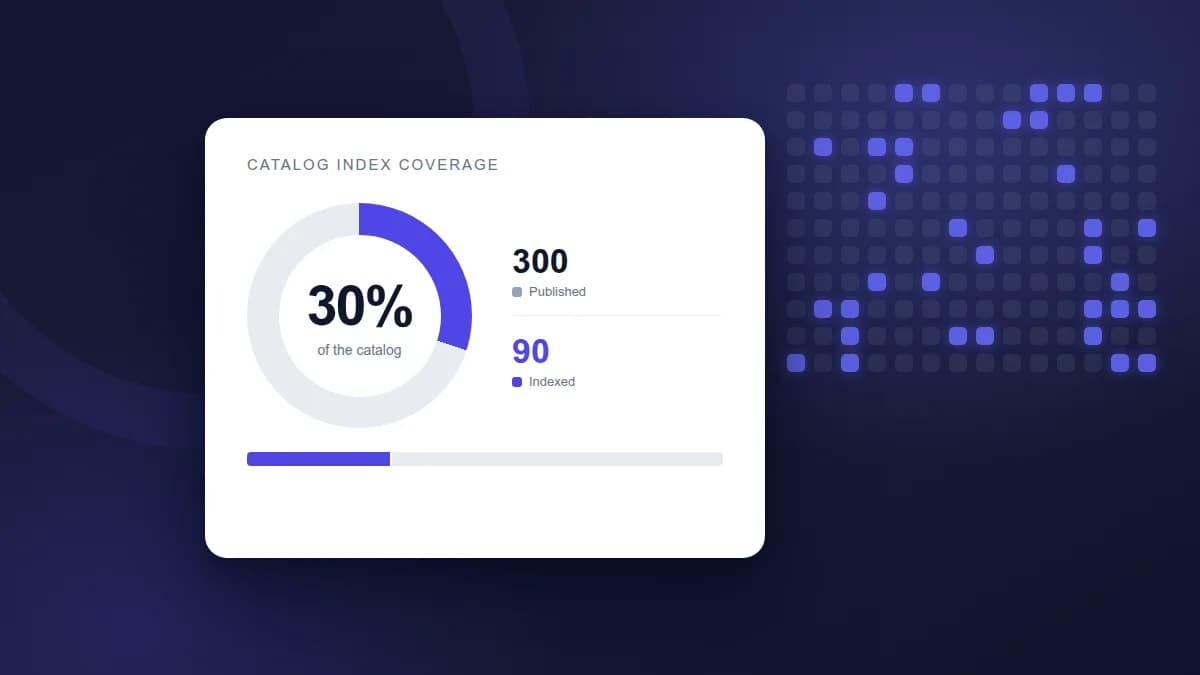
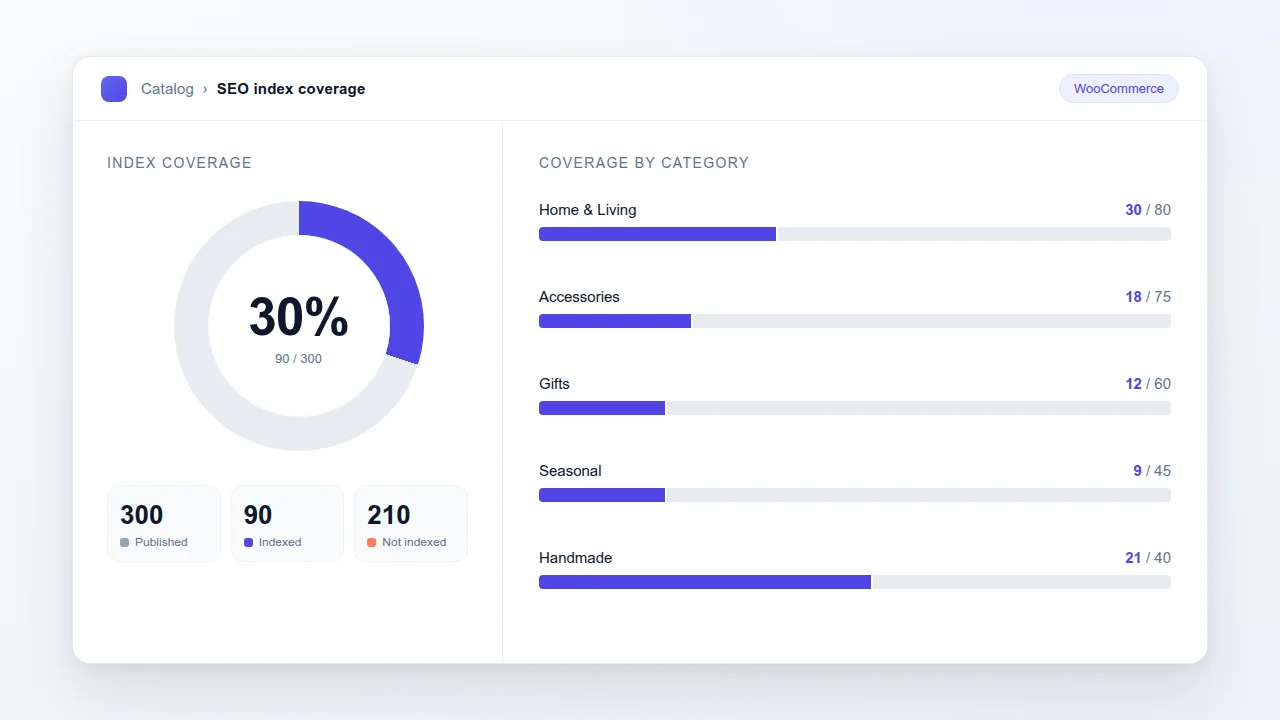
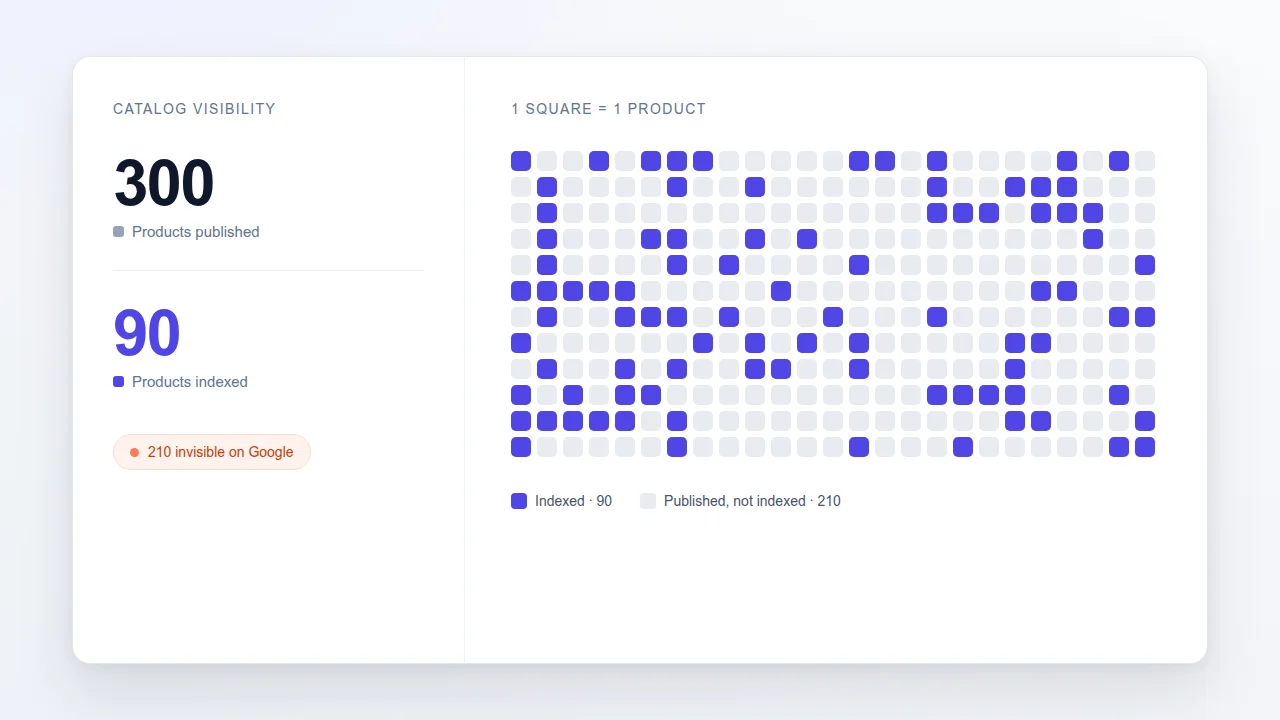
The most useful and least monitored catalog SEO metric is the ratio of indexed products to published products: if a catalog contains 300 items and only 90 appear in Google's index, actual coverage is 30%, regardless of how well those 90 products rank.
This percentage does not appear in any default Google Analytics report. It must be built by combining two sources: the actual list of products published on WooCommerce and Google's Search Console indexing data, in the “Pages” report (Page indexing). The difference between the two figures is where the catalog is losing visibility without anyone noticing.
An unindexed product is not a product with a ranking problem: to Google, it is a product that never existed.
- Products published on WooCommerce but missing from the XML sitemap.
- Product pages with descriptions copied from a supplier or another sales channel.
- Product variants, such as color or size, with no original content of their own and treated as duplicates.
- Orphaned categories that can be reached only through weak or missing internal links.
How to calculate it without complex SEO tools, starting with WooCommerce data
To calculate product indexing coverage, all you need is a WooCommerce catalog export and the “Pages” report in Google Search Console. Compare the URLs of your product pages with the URLs that are actually indexed.
The process is manual but accessible to anyone managing their own store: export the product list from WooCommerce as a CSV containing each product URL, open Search Console, and filter by the /product/ path or the path used by your theme. Record how many URLs are marked as “indexed” compared with those marked as “not indexed” or absent from the report. The ratio between the two totals is the true picture of catalog visibility.
A hypothetical example: the artisan with forty productsAn artisan selling handmade ceramics and managing around forty products on WooCommerce might discover through this comparison that only half of the catalog is indexed. Color variants uploaded as separate products with the same description are treated by Google as duplicates and remain outside the index.
A second example: the multichannel retailerA retailer uploading the same catalog to WooCommerce, Etsy, and eBay may have high coverage on Etsy, where the content is original, but very low coverage on WooCommerce if the descriptions there are still the supplier's generic copy.
Signs that your catalog has a coverage problem, not a content problem
A catalog has a coverage problem rather than a content problem when sales are concentrated on a few long-standing products while new arrivals remain invisible for months, despite having accurate copy and prices.
Other recognizable signs include organic traffic coming almost exclusively from the same five or ten pages year after year; recently added products generating no impressions in Search Console; and seasonal or niche categories never appearing in industry-related search queries. In these cases, the issue is not writing better descriptions for existing pages, but understanding why entire sections of the catalog are not even being considered by the crawler.
An illustrative example: the multichannel merchantA merchant runs a physical store and a WooCommerce site with hundreds of products, as well as an Amazon account and an Etsy shop. He spends hours copying the same descriptions across channels. His typical problem is not the quality of an individual text, but the fact that much of the catalog never receives dedicated optimization and therefore remains absent from search results.
Practical actions to improve visibility across the entire catalog, not just the best sellers
Improving catalog SEO performance requires distributed work across all product pages, not just the products that already perform well: an up-to-date sitemap, unique descriptions, Product markup, and complete attributes.
A realistic plan starts by mapping what is missing, rather than immediately rewriting everything:
- Check that every published product is included in the XML sitemap submitted to Search Console.
- Identify duplicate descriptions among variants of the same product or across different channels.
- Add Product markup, including price, availability, and image, to pages that lack it.
- Complete missing attributes, such as material, dimensions, and use, which often make a page too thin to be indexed.
- Repeat the published-versus-indexed comparison every two or three months to track progress.
Optimizing only the five best-selling products does not improve catalog performance: it only changes the position of five pages.
How Katapic helps find the weak product pages in the catalog
Katapic is designed for people managing a WooCommerce catalog who lack the time or a dedicated SEO team to check where each product page is losing visibility. The initial scan is anonymous and read-only: it analyzes the catalog as it is, without changing anything, and returns an SEO score, an AI search score and a data readiness check for every product. This makes it possible to quickly identify which pages are weak and why. The rewriting engine works with the catalog's real data and does not invent specifications: it preserves the facts the merchant has already entered and simply makes them easier for Google and AI search engines to understand. For a catalog with hundreds of products, where checking every page manually is not sustainable, having a tool that assigns a measurable score to every product, not just the best sellers, is the first step toward understanding where action is really needed. To see your own situation, start with a free catalog scan on Katapic.
Frequently asked questions about catalog SEO performance
Why do some products never appear on Google even though they are online?Google often considers them thin or duplicate content: descriptions identical to a supplier's copy or variants without original text may be excluded or consolidated as duplicates, even when the page is technically accessible and error-free.
What is the difference between a product SEO score and catalog SEO performance?A product SEO score evaluates the quality of one product page, including its title, description, attributes, and markup. Catalog SEO performance is the combined result of these scores across the entire assortment: a store can have products with high scores and still have low overall coverage.
How often should catalog indexing coverage be checked?Every two or three months is generally enough for a stable catalog. Stores that add products frequently or operate across multiple channels should check more often, immediately after each bulk upload of new products.
Do unindexed products all need to be rewritten from scratch?Not always. Often, it is enough to make a description shared across variants unique or add missing attributes. A complete rewrite is needed only when the original content is genuinely too thin to be useful to someone reading it.
Frequently asked questions
- Why do some products never appear on Google even though they are online?
- Google often considers them thin or duplicate content: descriptions identical to a supplier's copy or variants without original text may be excluded or consolidated as duplicates, even when the page is technically accessible.
- What is the difference between a product SEO score and catalog SEO performance?
- A product SEO score evaluates the quality of one product page. Catalog SEO performance is the combined result of these scores across the entire assortment: a store can have excellent products and still have low overall coverage.
- How often should catalog indexing coverage be checked?
- Every two or three months for a stable catalog. Stores that add products frequently should check more often, immediately after each bulk upload of new products.
- Do unindexed products all need to be rewritten from scratch?
- Not always. Often, it is enough to make a description shared across variants unique or add missing attributes. A complete rewrite is needed only when the content is genuinely too thin.